
Overview
You can cancel your subscription from Settings, in the Billing section. Cancelling does not delete anything, and you keep full access until your current period ends.
Cancelling
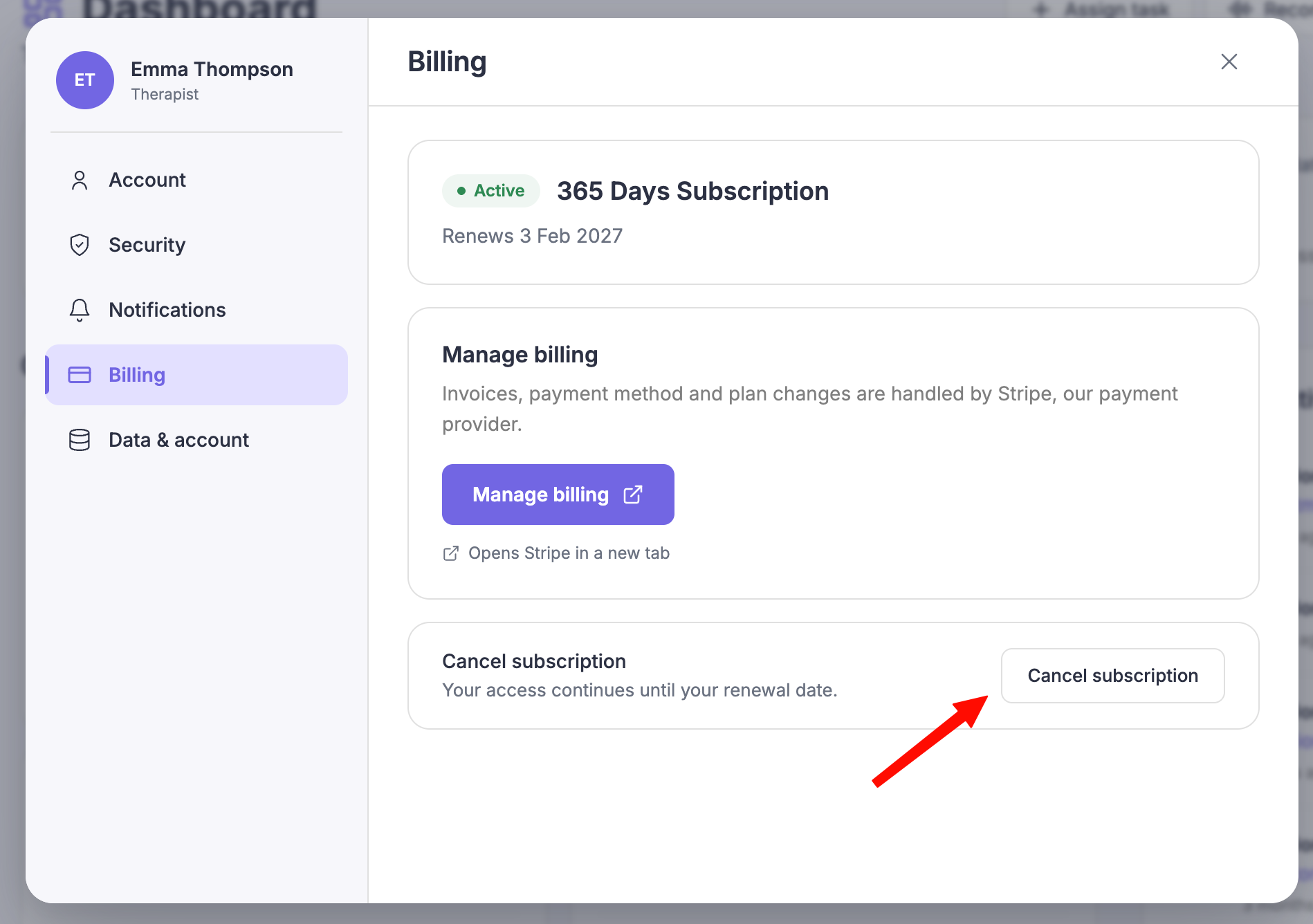
Open Settings and select Billing.
Select Cancel subscription.
Review what changes, then confirm.
Select Keep subscription if you would rather stay. Select Cancel subscription to go ahead.
What happens after you cancel
Your access continues until your renewal date.
After that date, session recording pauses.
Your client library and history become read-only, so you can still view them but not add to them.
Nothing is deleted, and you can resubscribe at any time to restore full access.
Common questions
Will I be charged again?
No. Cancelling stops the next charge. You keep access until the date you have already paid through.
Can I come back?
Yes. Resubscribe at any time and your library and history become editable again.
How do I get a refund or change my plan instead?
Use Manage billing in the Billing section to change your plan, or contact support about billing questions.