The Library holds every worksheet, measure and handout you can assign. Protocols arranges the same tools into treatment protocols for each problem, phase by phase. You can assign from either, and both add to the same tray. The screenshots in this article come from a demo workspace, and no real client information is shown.
Select Library in the left-hand menu.
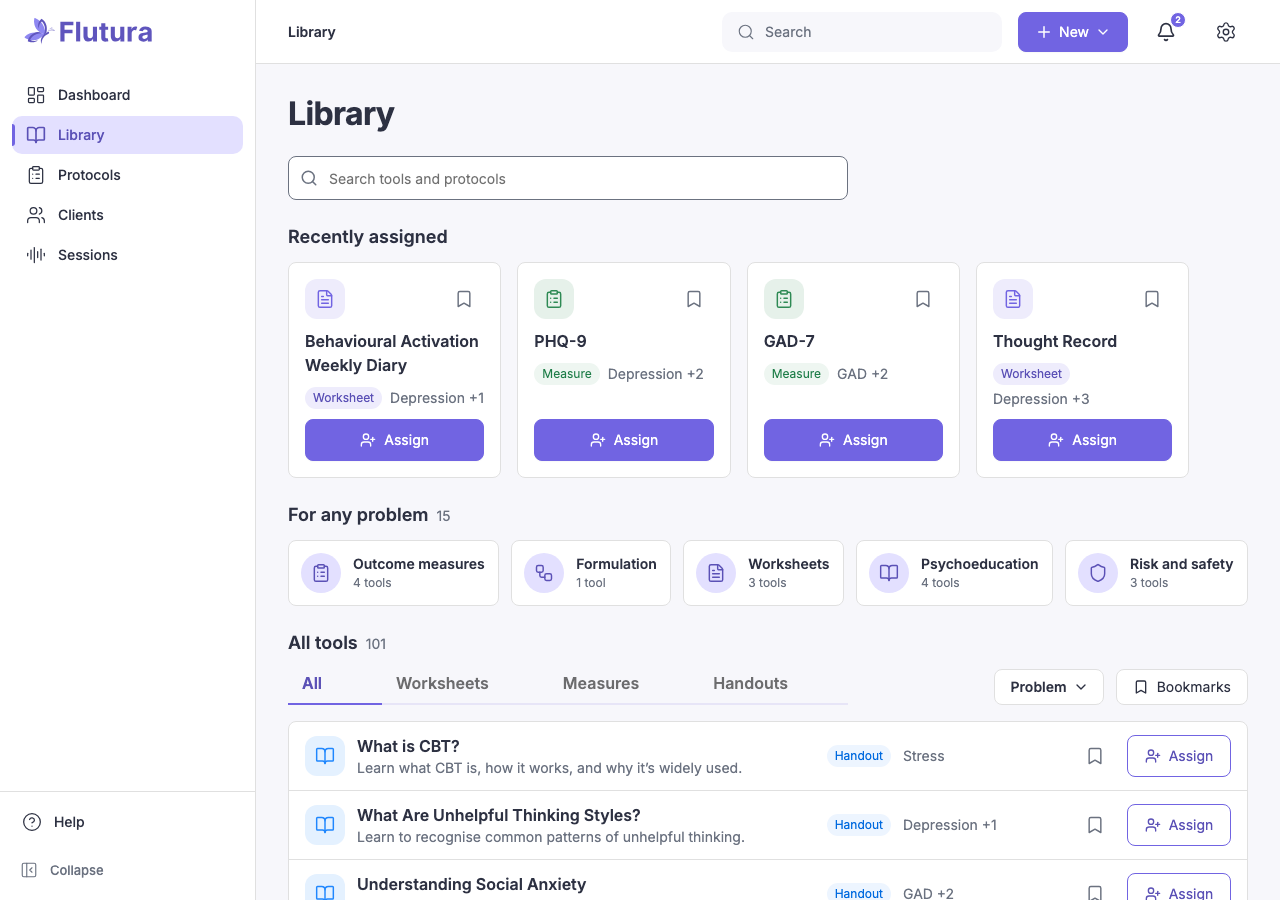
Tabs: All, Worksheets, Measures and Handouts.
Search tools and protocols: type part of a name. Search allows for hyphens, plurals and US spellings. The results list the tools first, then Protocols that use these.
Problem: choose a problem to see the tools for it.
For any problem: tiles for the tools that suit any problem. These are Outcome measures, Formulation, Worksheets, Psychoeducation and Risk and safety, and each shows how many tools it holds. Select a tile to see its tools, and select it again to see everything. The PHQ-9 and GAD-7 are under Outcome measures.
Bookmarks: select the bookmark on any tool to keep it. Select Bookmarks to see only those tools.
Recently assigned: the tools you have assigned most recently, each with Assign, so you can send one again. Until you assign something, it reads "Nothing assigned yet. Tools you assign will appear here."
Where a row of cards is wider than the screen, part of the next card shows at the edge. Swipe or scroll sideways to see the rest.
On a wide screen, a tool's row shows how many protocols use it, for example In 3 protocols. Select it to open Protocols showing just those. A tool's own page lists them under Protocols.
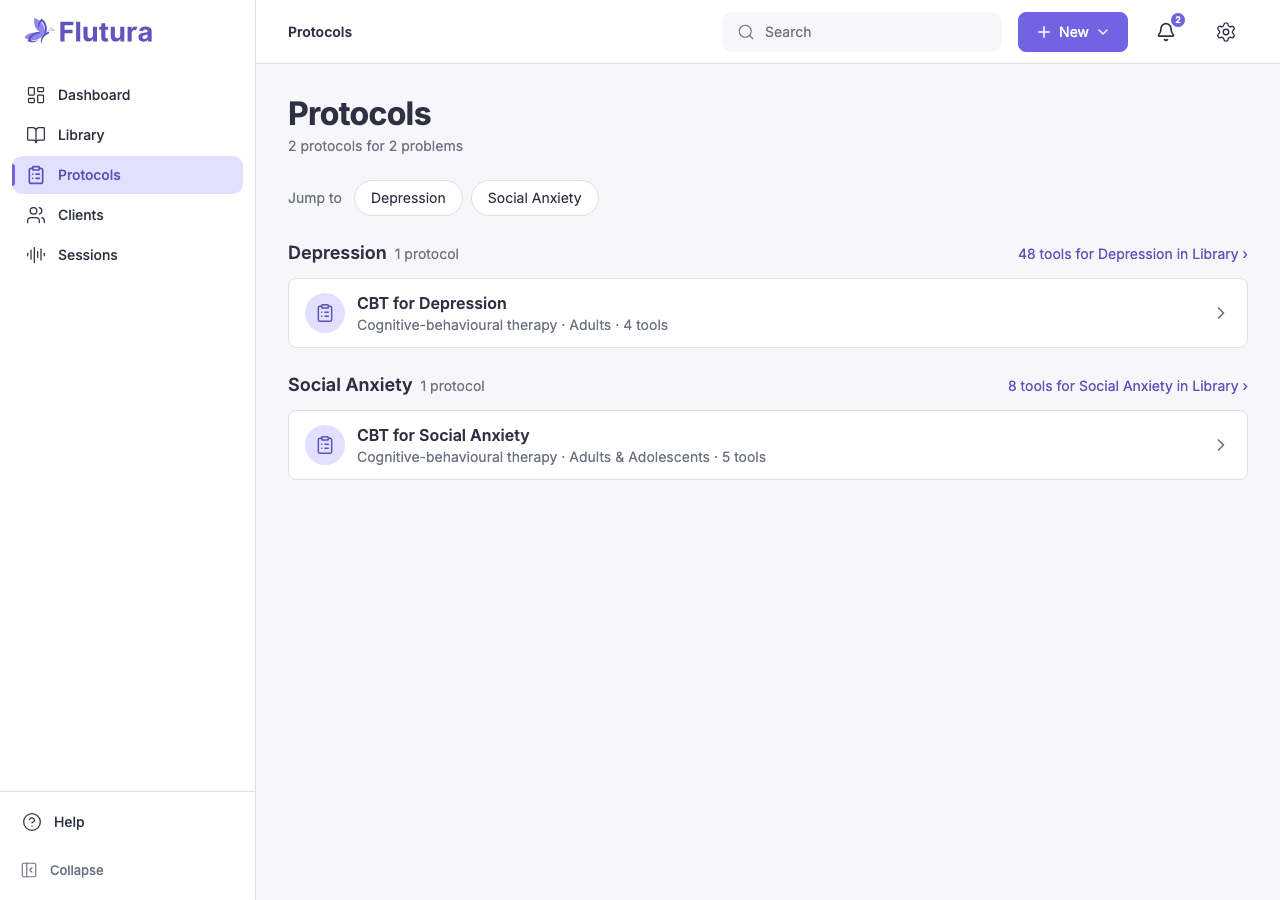
Select Protocols in the left-hand menu. Protocols are grouped by problem. Use Jump to at the top to go straight to a problem.
Under each problem you see:
its protocols, each with its approach, such as Cognitive therapy, and the number of tools it uses;
a link to that problem's tools in the Library, with how many there are.
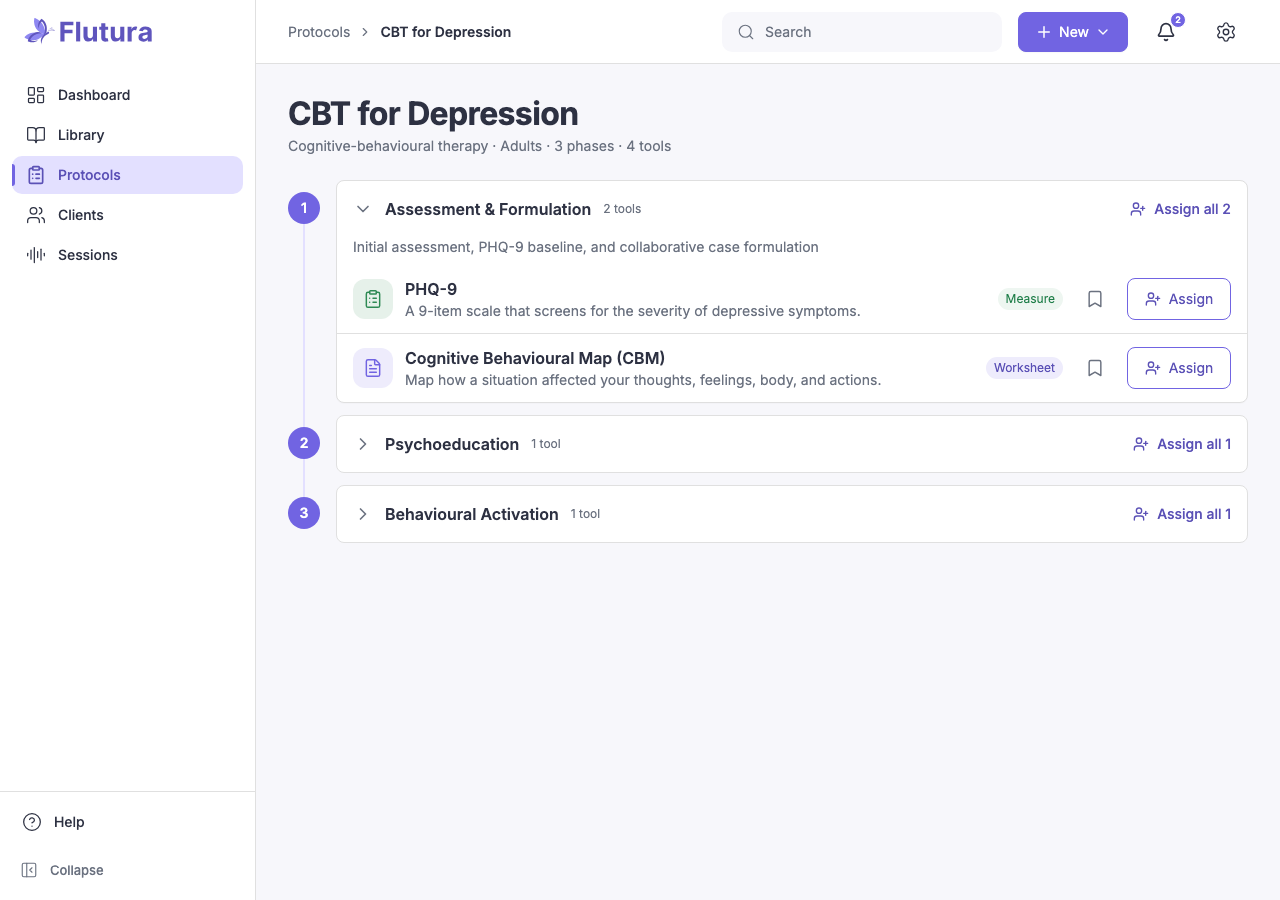
Open a protocol to see its phases, numbered in order. The first phase is open; select another phase to open it.
Select Assign on a tool to add it to the tray.
Select Assign all on a phase to add every tool in it. It then reads, for example, 4 selected. Select it again to take them out.
Then select Review in the tray to send them. Assign a worksheet to a client covers the review step. If you came from a client's profile, the client stays chosen as you move between the Library and Protocols.