
Overview
You create a Flutura account from the sign-up page with your email address and a password. You choose how you would like to be billed when you sign up. After that, Flutura asks you to verify your email and complete your profile.
Before you start
You need the email address you want to use for Flutura and a payment card. If your therapist colleagues already use Flutura, your account is separate from theirs.
Create your account
Enter your email address.
Create a password of at least 12 characters. Select the eye icon to show or hide what you have typed.
Choose Monthly or Annual billing. Annual shows the saving next to it.
Tick the box to agree to Flutura's Terms & Conditions and acknowledge the Privacy Policy.
Select Create Account & Pay. The button shows the amount for the billing option you chose.
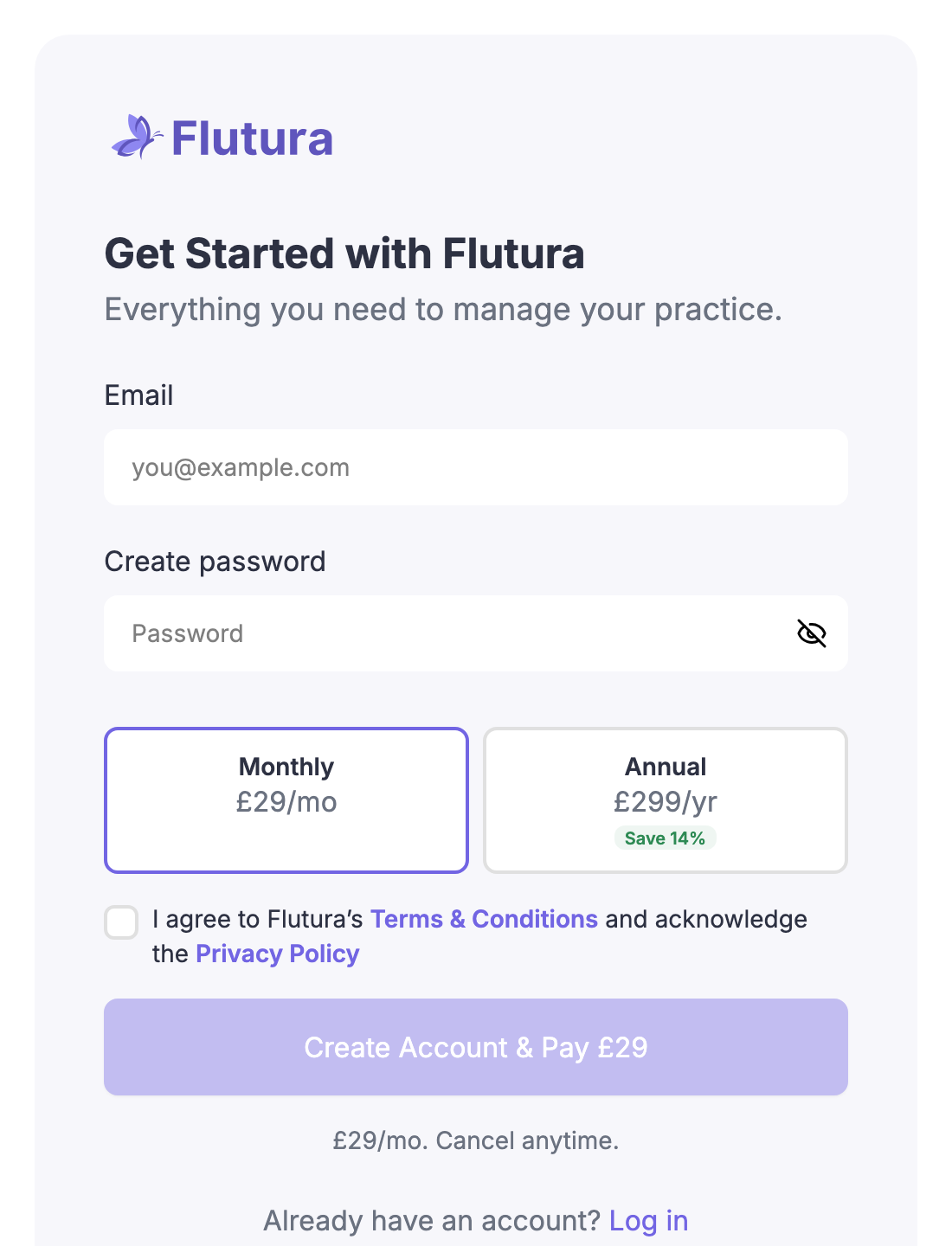
If you already have an account, select Log in at the bottom of the page instead.
Verify your email
After you pay, Flutura emails you a link to verify your address. Look for the message with the subject "Verify your Flutura account" and open the link in it. The link works for seven days. When it opens, the page says "You're verified" and takes you to your dashboard.
Complete your profile
When you first open your dashboard, a Welcome to Flutura! banner asks you to complete your profile. Enter your first name and last name. Your phone number is optional. Select Save Profile.
If something goes wrong
If the verification email does not arrive, check your spam or junk folder, then log in with your email address and password. Flutura sends a new link and shows "Check your inbox"; select "Send a new link" if you need another. A link more than seven days old opens a page that says "Link expired", where "Resend verification email" sends a new one.
If you were invited by a therapist as a client, do not use this page. When a Client Can't Find Their Invitation Email explains how clients reach their invitation.