
If you notice something isn’t working or have an idea for a new feature, you can easily share it with our team. Submitting issues or requests helps us improve Flutura for everyone.
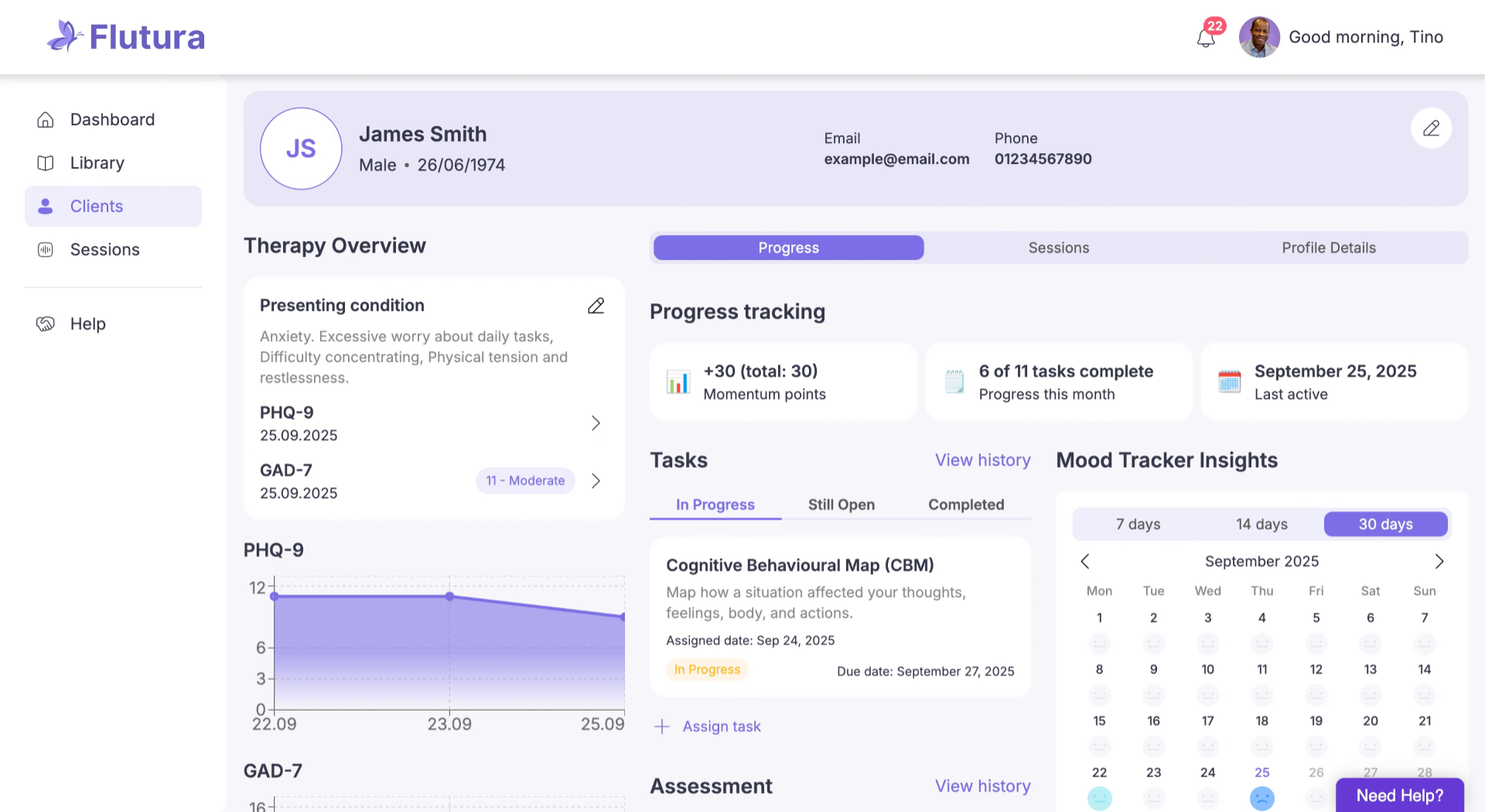
Step 1: Open the Help menu
Click Help in the sidebar or look for the “Need Help?” button in the bottom-right corner.
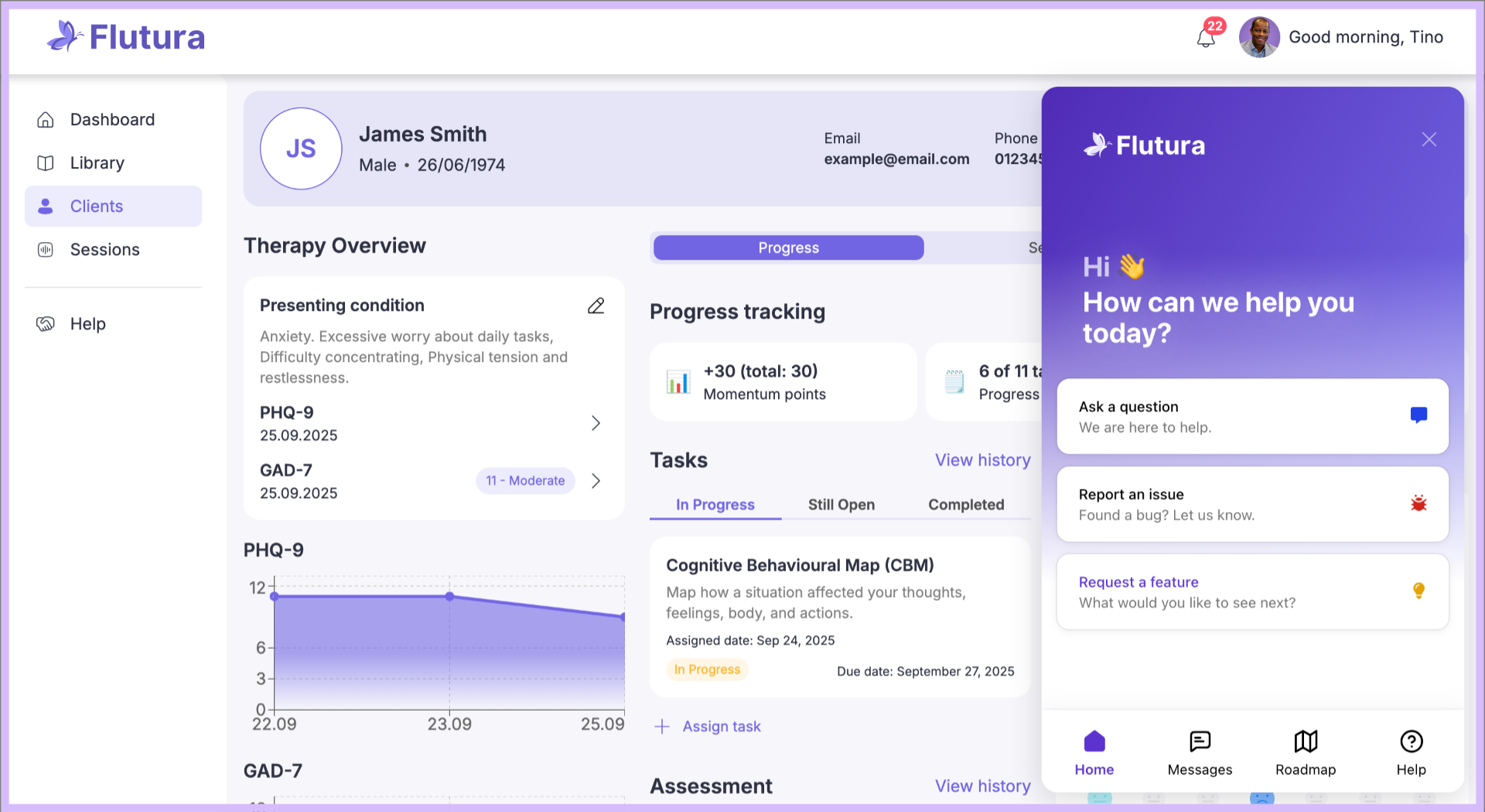
Step 2: Access the support popup
Click to open the support popup, where you’ll see options to send messages, view the roadmap, or browse the Help Center.
Step 3: Select your option
Choose Report an issue if something isn’t working, or Request a feature if you have a new idea.
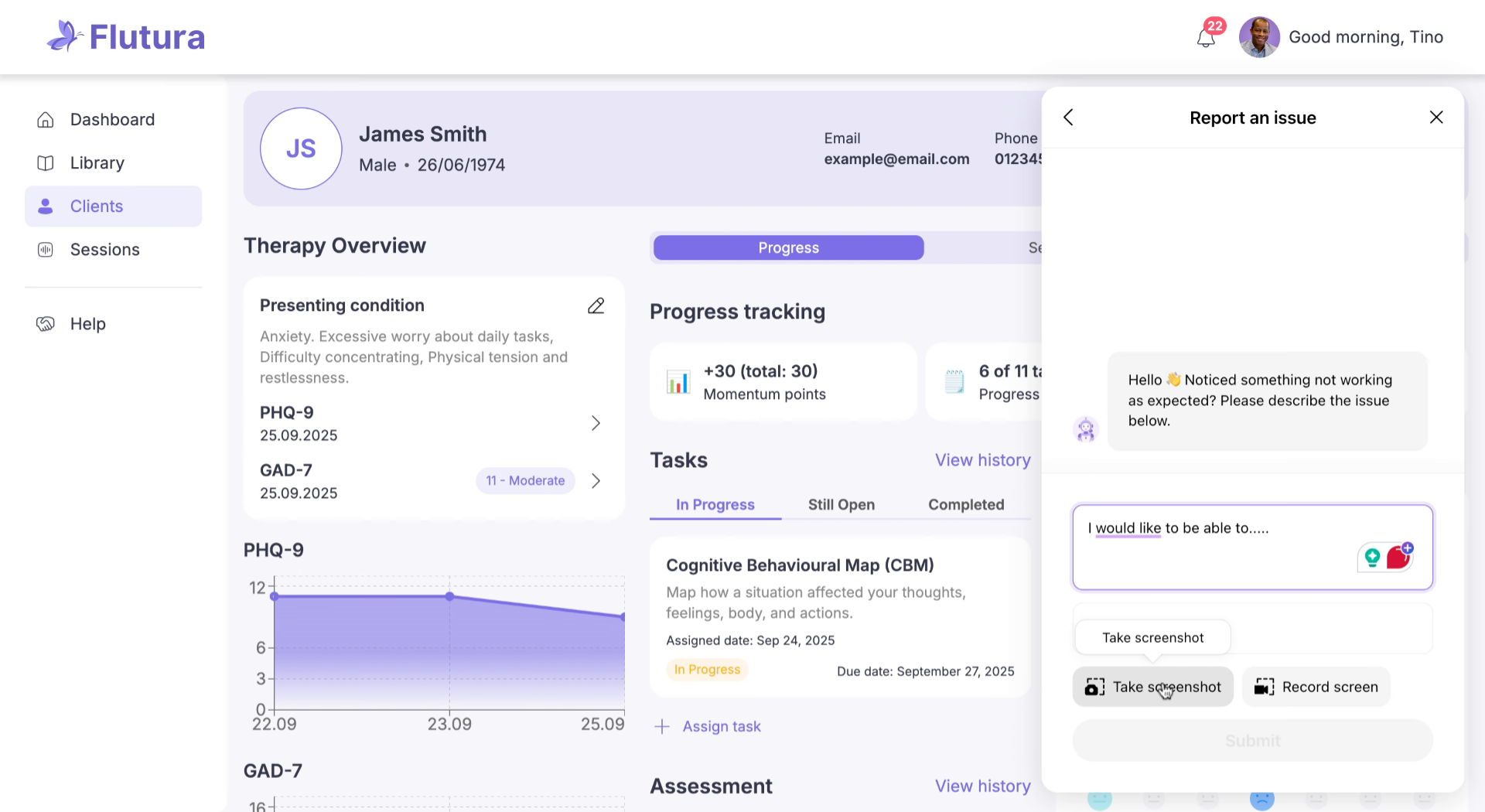
Step 4: Enter the details
Describe the issue or feature clearly. Add as much detail as possible. You can also attach annotated screenshots or record your screen.
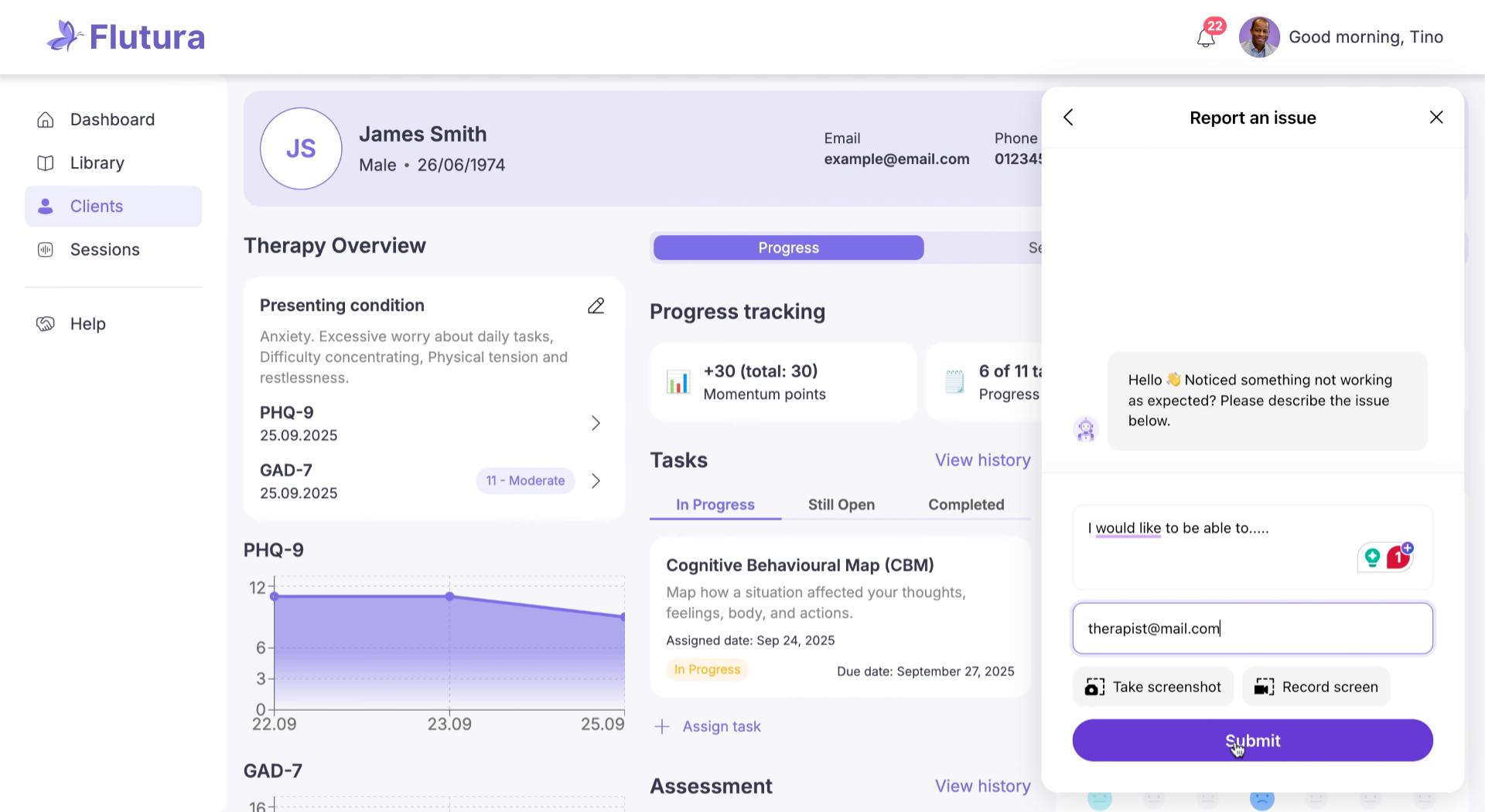
Step 5: Provide your contact details
Enter your details so our support team can follow up if needed.
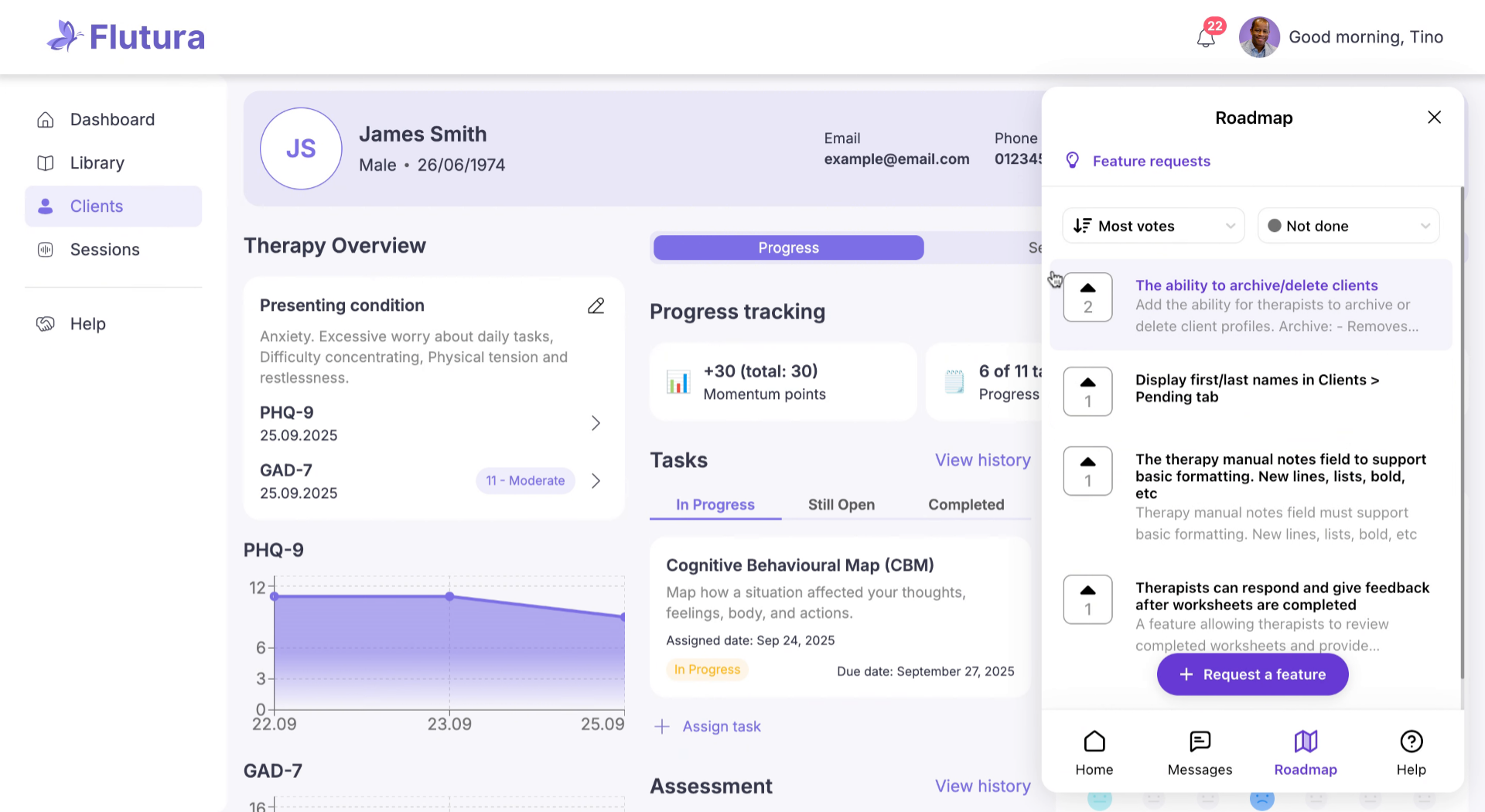
Step 6: Track progress in the roadmap
After submitting, check our roadmap to see the status of your request, browse other suggestions, comment, and upvote ideas.
That’s it! Your feedback goes straight to our team. Whether it’s an issue or an idea, sharing it helps Flutura grow with you. If you need any further help, please check our Help Center or contact our support team.
Troubleshooting
Can’t find the Help button: Refresh the page or update to the latest app version.
Popup not opening: Check your internet connection; try closing and reopening the app.
Didn’t receive confirmation: Requests are logged automatically; check roadmap to confirm submission.
Can’t see my submission: Requests will appear on the roadmap after being reviewed by out team.
Entered wrong details: Submit another request with corrected information.